


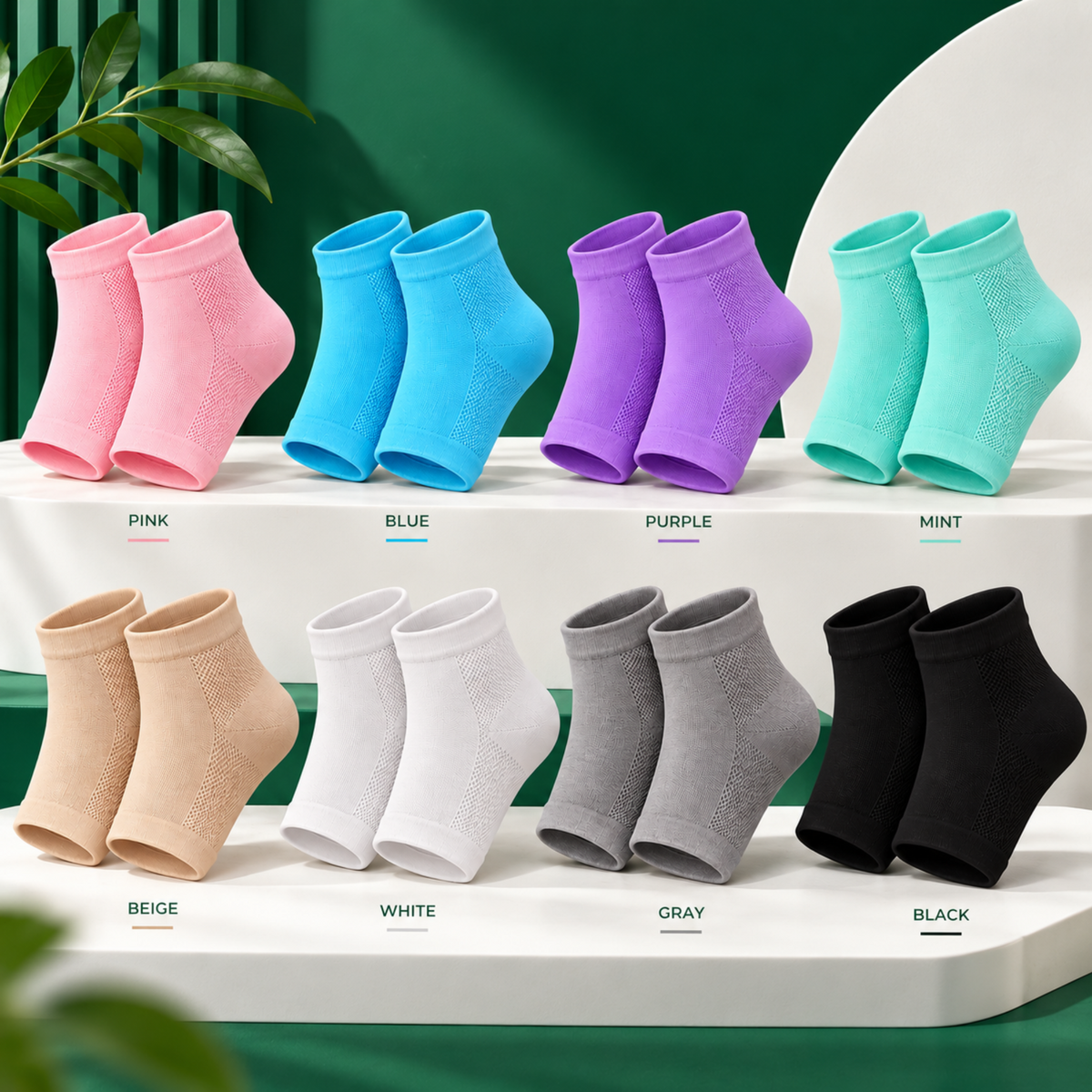
SilkHeel Pro™ Moisturizing Heel Socks
SilkHeel Pro™ Moisturizing Heel Socks
Cream sits on top of cracked skin, it can't get through. Our socks seal it in overnight so it actually works. Wake up to softer heels, not just greasy ones.
 Heal Painfully Dry, Cracked & Ashy Heels
Comfortable & Easy To use
Results In Just a Few Nights
 Recommended By Podiatrist
Only 8 left - Ready to ship
Couldn't load pickup availability
60 Day Money Back Guarantee
How Do They Work?
How Do They Work?
Cream alone sits on top of dry, cracked skin, it doesn't get through. Apply your foot cream, then wear the socks over it. Regular cotton socks soak the cream up and let it evaporate. Ours seal it against your skin all night instead, so it actually has time to work. Wake up to softer, smoother heels, no scrubbing, no mess.
Will My Feet Get Sweaty?
Will My Feet Get Sweaty?
No, the open-toe, heel-only design leaves your toes free to breathe, so only the part that needs the moisture is sealed in. Comfortable enough to sleep in all night.
What Size Are They?
What Size Are They?
One size fits most. They're made from a soft, stretchy fabric that adapts to most adult foot sizes, so there's no sizing chart to worry about.
How our 60-day guarantee works
How our 60-day guarantee works
We want you to feel excited, not uncertain.
Buying foot care online can feel like a gamble — another product that ends up in the drawer with the peel masks and the pumice stone. This shouldn't be one more thing you tried.
The 60-Day Sandal Season Guarantee
Give the full 14-night protocol a real try, then keep living in it. Wear the socks on ordinary nights, take them on trips, use them before the pedicure you've been putting off, before the beach, before the day you finally reach for the sandals in the back of your wardrobe.
If it's not right for you, simply email us at support@silkheelpro.com any time within 60 days. We'll arrange your refund in line with our return policy — no complicated explanation required.
Our Promise
We're building the first heel care brand that actually treats this properly instead of selling you one piece of the fix and leaving you to figure out the rest. We want you to get through the full 14 nights, see your heels properly, and wear whatever shoes you want without thinking twice.
If it's not right for you, we'd rather make it simple than leave you stuck with something in a drawer. That's our promise.
Shipping & returns
Shipping & returns
Shipping:
- Worldwide shipping on all orders
- Orders are processed within 2-5 days working days after purchase
- Shipping confirmation email and tracking number provided upon shipment
- Delivery typically takes 5-10 working days worldwide, barring any customs delays
Returns:
- 60 Day Money-Back Guarantee on All Orders
- Contact our customer service team to initiate a return or exchange
- Refunds processed promptly upon receipt of returned items
- Please note that postage and shipping fees are NOT covered


Make AnyWhere a Vibe!
join the memory lane club and create nostalgic memories with family and friends.


Say Goodbye To Boring Photos
Swipe cover to see the difference!

180° Flip Up Camera
Capture selfie moments without guessing.

Easy Transfer
Transfer photos in minutes to your apple or android with our USB-C port.
180° Flip Up Camera
Capture selfie moments without guessing.
Easy Transfer
Transfer photos in minutes to your apple or android with our USB-C port.

4k Quality
Be able to take sharp but vintage looking photos.

Flash Lens
Be able to take quality photos in any lighting.


4k Quality
Be able to take sharp but vintage looking photos.
Flash Lens
Be able to take quality photos in any lighting.
Relive That Feeling Every Time You Shoot
Memory Lane is built around one thing: that warm, nostalgic feeling of flipping through old childhood photos. Every shot comes out with the tone and texture of the camera you grew up with so picking it up doesn't just take a picture, it brings you back.
Said It Felt Like Their Childhood
customers agreed their first photos with Memory Lane instantly reminded them of old family photo albums.
Actually Printed or Framed a Photo
92% said they printed, framed, or saved a Memory Lane photo instead of letting it sit in their camera roll.
Said It Was Easy to Use Right Out of the Box
customers found Memory Lane beginner friendly, simple to pick up and take asthetic photos
Try it risk free — 60 day money back guarantee
Relive That Feeling Every Time You Shoot
Memory Lane is built around one thing: that warm, nostalgic feeling of flipping through old childhood photos. Every shot comes out with the tone and texture of the camera you grew up with so picking it up doesn't just take a picture, it brings you back.




Why Thousands of Women are Switching to Memory Lane
Unlock a wide range of cool and atheistic photos
Aesthetic, unfiltered vibes
Create Real Memories
Angel-glow ring light
Convenient & always with you
Beginner Friendly
Memory Lane

Phone Camera
FREQUENTLY ASKED QUESTIONS
What's in the box?
What's in the box?
- Digital camera
- Rechargeable Li-lon batery
- 32GB memory card
- USB cable
- USER manual
- Camera bag
- Lanyard
Do I need to use a memory card?
Do I need to use a memory card?
If you plan to store extra photos (100 - 5,000) we recommend using the 32GB Micro SD card that comes free with your purchase.
What's the camera resolution?
What's the camera resolution?
The camera captures photos at up to 48 megapixels (48MP) resolution and record videos in ULTRA HD 1080p resolution, ensuring high-quality images and footage.
How to transfer photos/videos?
How to transfer photos/videos?
To transfer images from our Snap'd Digital Camera to your device, follow these simple steps:
- Connect the camera to your computer using the provided USB cable.
- Once connected, your computer should recognize the camera as a removable storage device.
- Open the folder containing the images on your camera.
- Select the images you want to transfer and copy them to a folder on your computer.
- Once the images are copied, you can then transfer them to your chosen device using your preferred method, such as emails, cloud storage, or a USB flash drive.
How to setup and snap?
How to setup and snap?
- Insert the rechargeable Li-lon vattery into the designated compartment in the camera.
- Close the battery compartment securely.
- Power on the camera by pressing the power button.
- Frame your shot using the viewfinder or LCD screen.
- Adjust settings such as zoom and focus using the control buttons
- Press the shutter button halfway to focus, then fully to capture the photo.
- Review your photo on the LCD screen or viewfinder.
Does it stain permanently?
Does it stain permanently?
No. And we know this is the question every woman asks before trying a body coverage for the first time because nothing ruins a good outfit quite like a product that transfers.
Once Zynor is fully dry, around 10 minutes it won't transfer to your clothes, your white sofa, or your bedsheets. If any product touches fabric before it's fully set, a normal wash will remove it completely.